
Whether you need proof of address for a UAE bank account or Schengen visa application, want to check why your summer electricity charges jumped before paying, or need to send a monthly statement to your landlord or company finance team, downloading your official DEWA Green Bill as a PDF takes less than two minutes. While the summary SMS or email only gives the total payable and due date, the full PDF invoice includes your meter readings, progressive slab breakdown, fuel surcharges, Dubai Municipality housing fee, and 5% VAT tax details.
Before or after downloading your statement, you can plug your billed kilowatt-hours (kWh), cubic metres of water (m³), and annual rent into our DEWA Bill Calculator to double-check every line on your PDF.
Four official ways to download a DEWA bill as a PDF (2026 comparison)
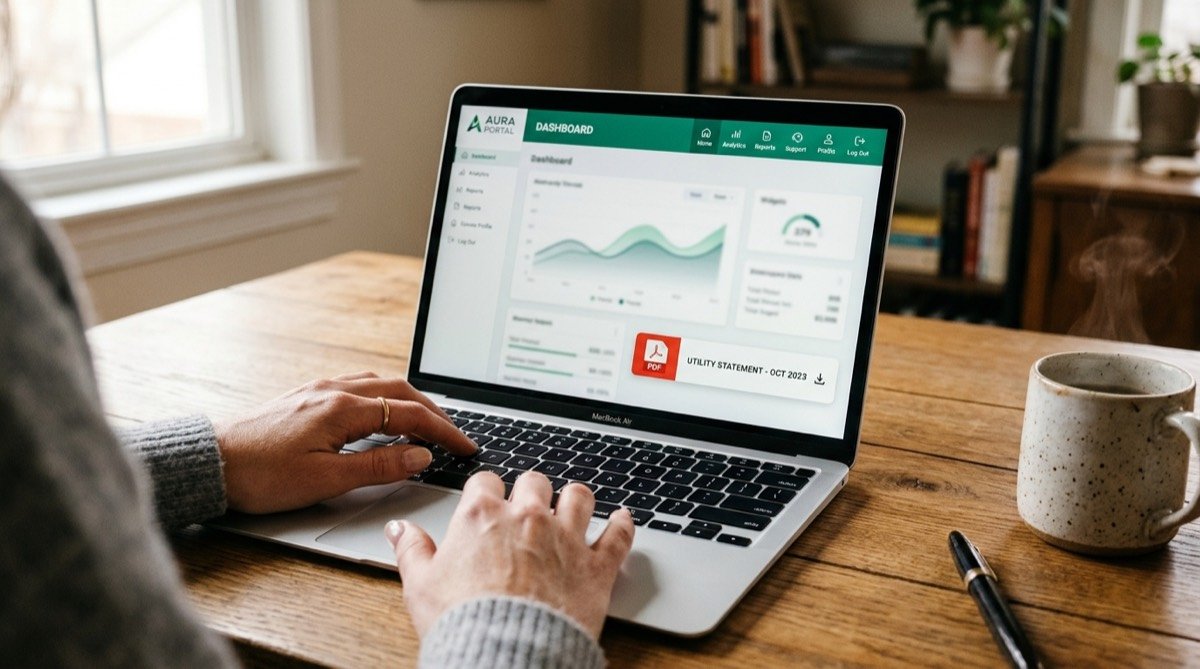
Dubai Electricity and Water Authority (DEWA) offers four official ways to save your Green Bill PDF, depending on whether you just need this month’s invoice or an archive from the past year:
| Download method | Best for | Login required? | How far back can you download? |
|---|---|---|---|
| 1. DEWA Public “View Bill” Page | Quickly downloading the latest bill using your Contract Account or Premises Number | No (verification code / account lookup) | Current / latest billing cycle |
| 2. DEWA Smart App / My Bills Portal | Downloading full Green Bill PDFs + matching payment receipts | Yes (UAE Pass or DEWA ID) | Last 13 months of bills (12 months for closed accounts) |
| 3. Registered Monthly Email | Zero-click PDF archiving (Green Bill attached or linked directly each month) | Email inbox access only | Unlimited (as long as you keep your emails) |
| 4. Collective Statement Portal | Landlords, PROs, and companies managing multiple Dubai properties under one code | Yes (Corporate / Multi-account login) | 13 months (bulk ZIP/PDF + individual unit PDFs) |
Method 1: How to download your latest DEWA bill PDF online (with or without login)
If you need a clean PDF copy of your current statement right away, follow these steps:
- Open DEWA’s View Bill service in your browser, or sign in to the DEWA Smart App with UAE Pass.
- Pick the right 10-digit contract account number from your dashboard, or enter your account or premises details on the public View Bill page (if you only know your apartment door number, see how to find your DEWA premises number).
- Complete the CAPTCHA or OTP verification sent to your registered contact details to unlock the full invoice.
- Select Download Bill (PDF). On the mobile app, tap View Detailed Bill (PDF) and use your phone’s share menu to save it to Files or send it via WhatsApp or email.
- Check that both Page 1 (account summary, premises number, total due, and barcode) and Page 2 (detailed electricity kWh, water m³, fuel surcharges, and housing fee breakdown) are included before sending the PDF to a bank or embassy.
For your own security, never type your DEWA contract account number into third-party “bill converter” or unofficial PDF lookup websites. Your Green Bill PDF contains your full name, 9-digit premises number, Makani location, and tenancy fee data.
Method 2: How to download older DEWA bills (up to 13 months back)
When you are applying for a mortgage, checking seasonal AC costs, or sorting out a landlord query, one month’s bill is rarely enough. Here is how to pull older DEWA invoices:
- Sign in to your DEWA account and open My Bills or the Smart Living Dashboard. DEWA keeps a rolling 13-month archive of Green Bill PDFs and payment receipts (check our DEWA payment history and receipts guide if you also need proof of payment).
- If you are moving out and submitting a DEWA move-out request, billing history for a previous premises stays accessible for up to 12 months after the final bill date. Save a PDF copy of your final bill, deposit settlement, and DEWA clearance certificate as soon as your move-out finishes.
- If your company or family office manages multiple units under one Collective Billing Statement code, signing in lets you download both the master summary statement and the individual Green Bill PDFs for each flat or villa.
What is inside a downloaded DEWA Green Bill PDF?
Knowing where each figure sits on the downloaded PDF makes it much easier to spot odd charges or pull proof-of-address details. For a full line-by-line walkthrough, see how to read your DEWA bill:
| PDF section | Details included | How to verify it |
|---|---|---|
| Top Header & Account Box (Page 1) | Customer Name, 10-digit Contract Account No., 9-digit Premises No., Tax Invoice Number, Billing Period Dates | Match Premises No. against your Ejari certificate and apartment door plate |
| Summary Charges Box (Page 1) | Electricity, Water, Dubai Municipality Housing Fee, Sewerage, District Cooling (if applicable), Total Due | Compare with previous balance and check if recent payments cleared |
| Electricity Breakdown (Page 2) | Meter Number, Previous & Current Reading, Total kWh Used, Slab Tariff (AED 0.23 to 0.38/kWh), Fuel Surcharge (AED 0.060/kWh) | Test your kWh in the DEWA Electricity Calculator and read our DEWA fuel surcharge guide |
| Water & Sewerage Breakdown (Page 2) | Water Meter No., Consumption in m³, Water Slab Rate (AED 7.70 to 10.12/m³), Water Fuel Surcharge (AED 1.10/m³), Sewerage Fee | Check for leaks or test usage in our UAE Water Bill Calculator |
| Housing Fee & VAT (Page 2) | Monthly instalment of 5% of annual Ejari rent (exempt from VAT), plus 5% UAE VAT on taxable utility supply | Verify your exact monthly rent instalment in the Dubai Housing Fee Calculator |

Troubleshooting: what if the DEWA bill PDF will not download?
If clicking the download button does nothing or opens a blank tab on your phone or laptop, try these fixes:
- Allow pop-ups and downloads for
dewa.gov.aein Safari (iPhone/Mac) or Chrome, because DEWA’s web portal often opens the Green Bill PDF in a new browser tab. - Sign in via My Bills with UAE Pass instead of the guest View Bill page if the public lookup times out or fails to load the detailed invoice.
- If the invoice loads inside your browser without a working download button, press
Ctrl+P(Windows) orCmd+P(Mac) and set your printer destination to Save as PDF. - If you tapped a bill link inside an email or WhatsApp chat, open it in Safari, Chrome, or the official DEWA Smart App rather than an in-app browser so the PDF can save properly to your phone.
Frequently asked questions
Is a downloaded DEWA PDF accepted as official proof of address in the UAE?
Yes. Banks, embassies, telecom providers, and government departments across the UAE accept the official DEWA Green Bill PDF as proof of residential address, as long as the bill is recent (usually issued within the last 1 to 3 months) and shows your name and the 9-digit premises number matching your Ejari.
Can I download a DEWA bill PDF without logging in?
You can retrieve your current bill via DEWA’s public View Bill page using your contract account number and completing the verification prompt. Downloading older bills from the 13-month archive or pulling payment receipts requires signing in.
What is the difference between a DEWA Green Bill PDF and a payment receipt PDF?
The Green Bill PDF is the monthly tax invoice issued at the end of your meter-reading cycle showing what you owe and how it was calculated. The payment receipt PDF is generated after you pay your DEWA bill to confirm that the balance was settled.
Official sources: DEWA View Bill, All DEWA Services / My Bills, and DEWA Consumer FAQs.